Best MCP Discovery Tools in 2026
Discover MCP discovery tools that detect servers, map agent workflows, and monitor AI-API interactions. Learn key features and top tools for visibility and security.

Kruti
As Model Context Protocol (MCP) adoption grows, organizations need clear visibility into how MCP servers and tools interact with AI agents. MCP discovery tools address this need by detecting, mapping, and monitoring MCP-enabled services across cloud, hybrid, and on-prem environments. By providing insight into active MCP endpoints, permissions, and agent-tool connections, these tools help security teams reduce misconfigurations, control exposure, and strengthen governance over AI-to-API interactions.
This blog will give a detailed look at MCP discovery tools, explaining how they work, their types, key features, and the top 5 tools for effective asset and service visibility.
What are MCP Discovery Tools?
MCP discovery tools are security and visibility solutions designed to detect, catalog, and monitor all MCP servers, tools, and services used in Model Context Protocol environments. Their core purpose is to give teams clear visibility into MCP-enabled components and show how AI agents interact with them across cloud, hybrid, and on-prem infrastructures.
As organizations adopt multi-agent systems and integrate external tools, the number of MCP endpoints can grow rapidly. Without structured MCP discovery, teams may lose track of active MCP servers, their permissions and how often they are accessed. These blind spots increase security, governance, and compliance risks.
MCP discovery tools streamline this process by scanning infrastructure, analyzing traffic patterns, and monitoring agent behavior to identify both approved and unknown MCP assets. With MCP dynamic tool discovery, newly added MCP servers and tools are detected in near real time and added to the inventory automatically-removing the need for manual tracking and helping teams maintain a continuously accurate MCP asset map.
How MCP Discovery Works?
The MCP tool discovery process typically follows four core steps:
Scanning
During scanning, MCP discovery tools analyze cloud, on-prem, and hybrid environments to locate MCP-enabled endpoints and services. They examine configurations, traffic patterns, and running processes linked to the Model Context Protocol, establishing the foundational layer for effective MCP tool discovery.
Identification
In the identification stage, each MCP server, plugin, or tool is detected and categorized. The system captures attributes like location, function, and access level, enhancing the MCP server tool discovery by clearly mapping all components within the environment.
Mapping
Mapping connects AI agents with the MCP tools and external APIs they interact with. It visualizes the relationships between servers, tools, permissions, and usage paths, allowing security engineers to track data and command flows in the MCP tool discovery process.
Monitoring
Monitoring provides continuous oversight of all MCP activity. With dynamic tool discovery MCP, any new server, change in configuration, or access update is captured in real time. This ensures the MCP inventory stays accurate and secure at all times.
Types of MCP Discovery Tools
There are several categories of MCP discovery tools, depending on their primary function:
Static Discovery Tools
These tools review configuration files, infrastructure templates, and code repositories to detect MCP services before deployment. They help identify potential risks early in the MCP tool discovery process and reduce misconfigurations in production environments.
Dynamic Discovery Tools
Focused on live environments, these tools support dynamic tool discovery MCP by continuously scanning for active MCP servers and tools. They detect changes in real time and strengthen the MCP server tool discovery by eliminating unknown or shadow MCP assets.
Agent-Centric Discovery Tools
These tools monitor how AI agents interact with MCP servers and external tools, offering detailed insights into usage patterns and helping security engineers verify access boundaries during MCP tool discovery.
Network-Based Discovery Tools
Network-based solutions analyze network traffic to discover hidden MCP endpoints and unauthorized connections. This approach improves the accuracy of the MCP server tool discovery and helps identify any unusual or risky behavior throughout the environment.
Key Features to Look for in MCP Discovery Tools
When evaluating MCP discovery tools, focus on the following essential capabilities:
Automated MCP Tool Discovery
This feature automatically finds MCP-enabled tools across cloud, on-premises, and hybrid environments. It removes the need for manual tracking and keeps the MCP tool discovery accurate and consistent, even at a large scale.
Dynamic Tool Discovery MCP
With dynamic MCP tool discovery, these tools and servers are detected as soon as they are added. The system updates the inventory in real time. This prevents unknown or unmanaged MCP tools from going unnoticed.
MCP Server Tool Discovery
This capability provides full visibility into every active MCP server and its connections. It shows where each server is located and how it is used. Strong MCP server tool discovery eliminates blind spots in complex ecosystems.
Agent-to-Tool Mapping
Agent-to-tool mapping monitors how AI agents connect to and use MCP services. It shows the relationships between agents and MCP servers, helping security engineers spot unnecessary or risky tool usage.
Permission and Access Analysis
This feature analyzes the permissions assigned to each MCP tool and server. It highlights excessive, unused, or risky privileges. This strengthens control over the entire MCP tool discovery environment.
Risk and Misconfiguration Detection
Risk detection identifies insecure configurations in MCP tools and servers. It flags weak controls, open endpoints, and unsafe settings. This helps reduce exposure across the MCP tool discovery process.
Visual Mapping of MCP Connections
Visual mapping presents the MCP tool discovery process through clear diagrams and flow views. It makes complex relationships easier to understand. This supports faster analysis and better decision-making.
Alerts and Change Tracking
Alerts let teams know whenever new MCP tools are added or existing ones are changed. Change tracking keeps a record of what was changed and when, helping maintain steady control over dynamic MCP environments.
Audit Logs and Reporting
Audit logs record all MCP activity for review and investigation. Reports help with compliance and internal checks, providing accountability across the entire MCP server tool discovery environment.
Top 5 MCP Discovery Tools
The following are the top platforms for MCP discovery tools, MCP tool discovery, and MCP server tool discovery:
Akto
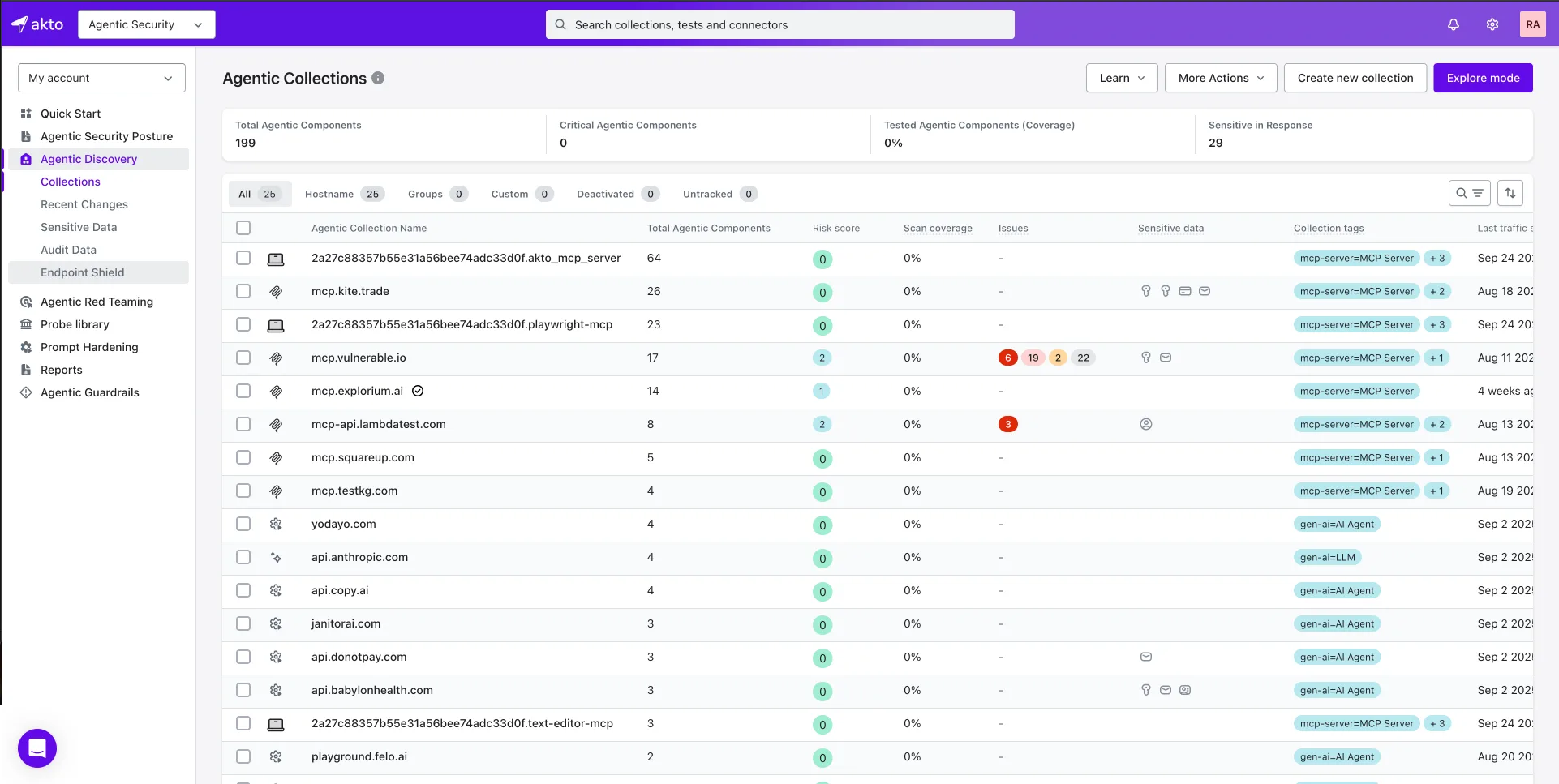
Akto provides advanced MCP tool discovery and protection by automatically detecting MCP-enabled servers and APIs across cloud, hybrid, and on-prem environments. It can identify both documented and “shadow” MCP servers exposed through accessible network or traffic connectors. Once detected, Akto continuously monitors MCP and agent interactions in real time, tracking API calls, tool usage, and data flows. Its security testing engine scans discovered MCP endpoints for threats like prompt injection, tool poisoning, insecure auth, and data leaks. New MCP services that use supported connectors are added to the inventory dynamically, helping security teams maintain updated visibility and respond quickly to changes.
Kong
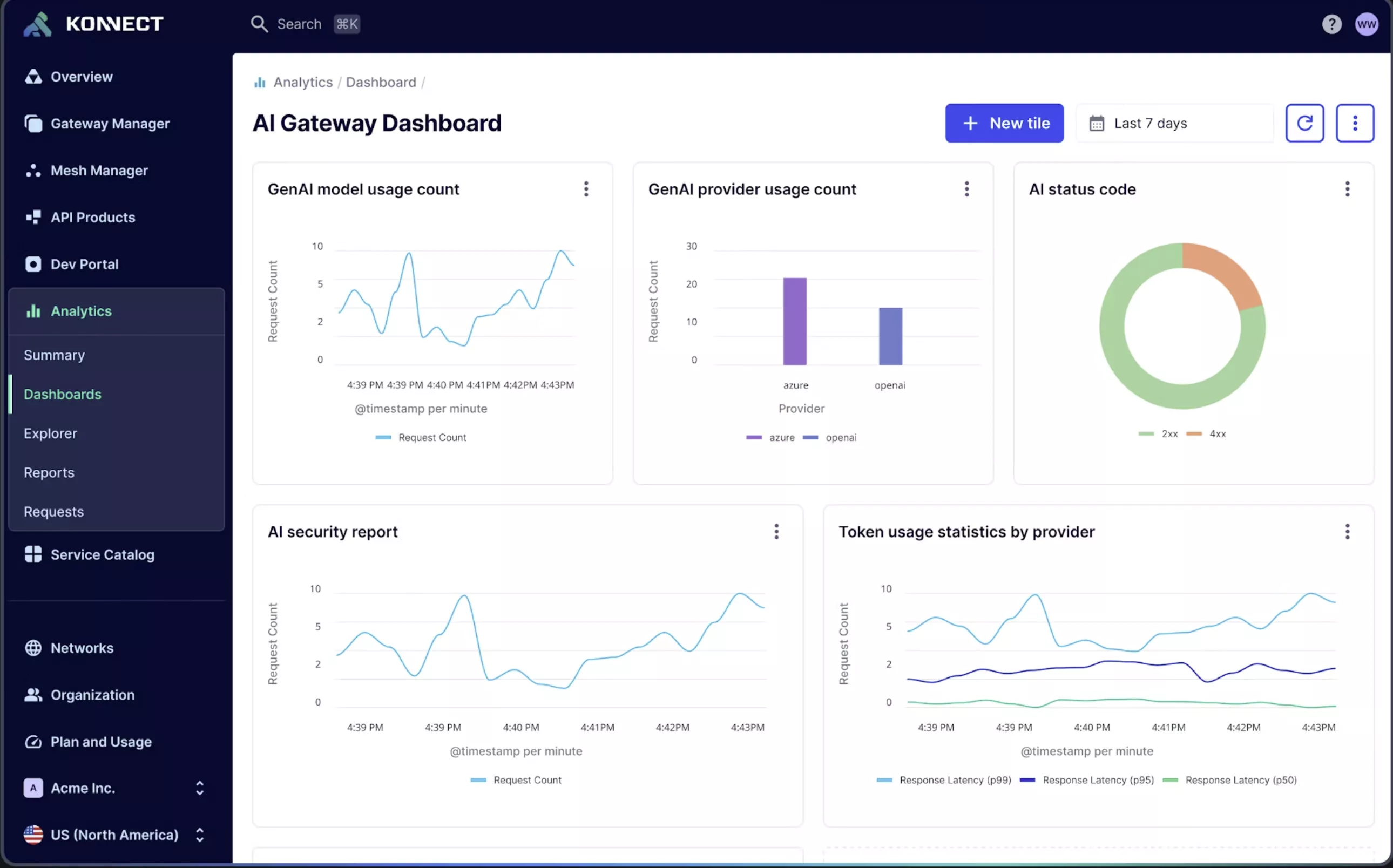
Kong supports MCP discovery tools by managing and monitoring traffic between Agentic AI and MCP servers. It helps identify active MCP endpoints through centralized routing and gateway visibility. This improves both security and the MCP tool discovery process.
Lasso Security
Lasso Security focuses on AI and agent environments with dynamic tool discovery. It tracks which MCP tools are being used and flags risky behaviors instantly. This improves governance and tighter MCP server tool discovery.
Prompt
Prompt observability platforms can support MCP visibility by logging tool calls made through prompts and agent actions. While they don’t perform full MCP tool discovery, they help trace which MCP tools are invoked, when they are used, and in what context. This provides useful insight into agent behavior and complements dedicated MCP discovery tools.
MCP-Manager
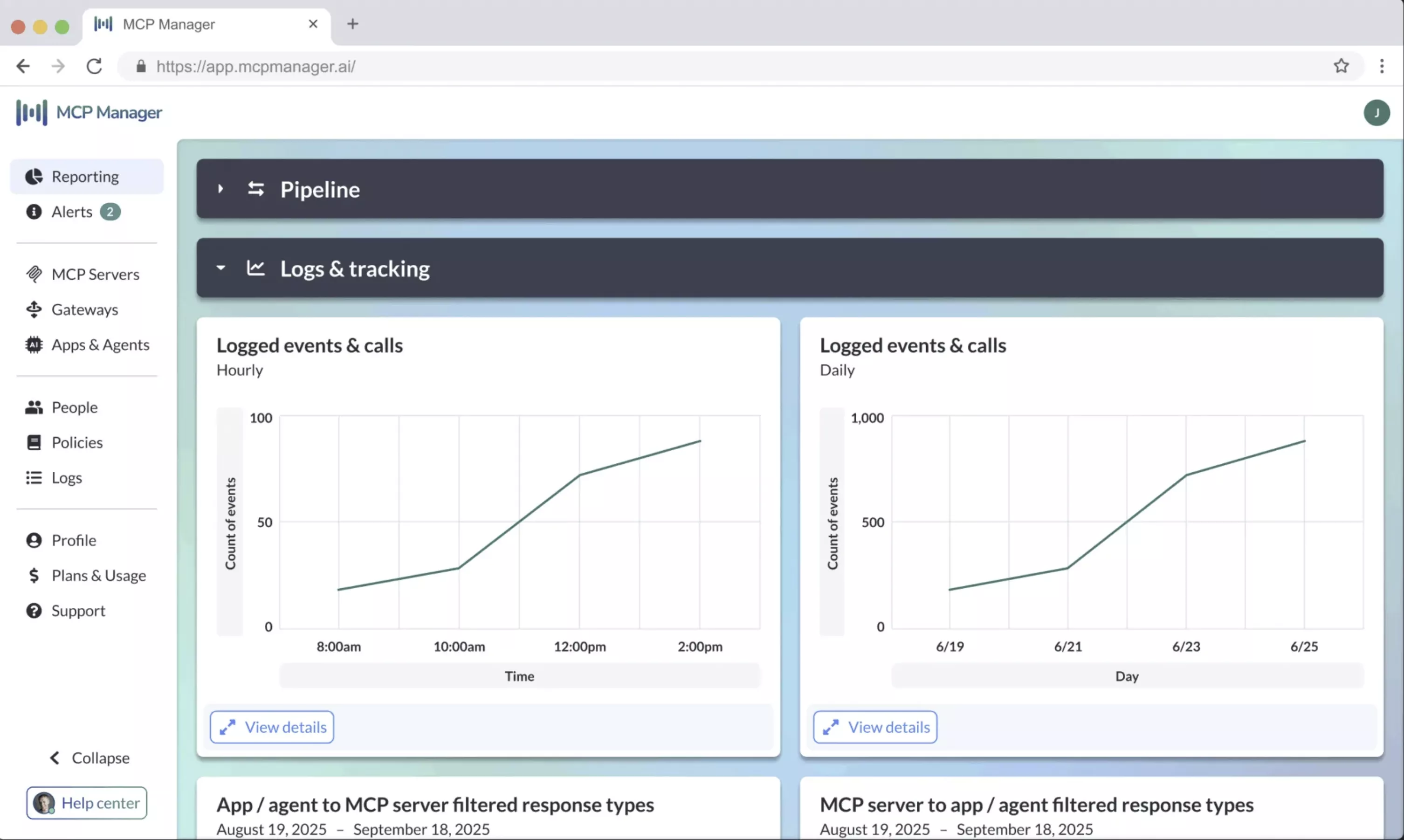
MCP-Manager organizes, registers, and monitors MCP servers in one place. It simplifies MCP server tool discovery and maintains a live inventory of all connected tools. This gives security engineers central visibility and control.
Final Thoughts
As AI agents security and MCP integrations grow across enterprise environments, visibility and control become essential for maintaining security and governance. MCP discovery tools help eliminate blind spots by mapping every MCP server, tool and agent interaction, giving teams clarity over fast-changing and complex agentic systems. With this visibility, security engineers can track usage patterns, reduce misconfigurations, and maintain continuous oversight of all MCP-connected components.
Akto strengthens this process with continuous and automated MCP tool discovery across your API and AI ecosystem. It detects known and hidden MCP servers, monitors agent-to-tool interactions, and enforces security policies in real time. By centralizing discovery, monitoring, and control, Akto gives security teams a dependable way to manage MCP assets at scale and reduce risks across agentic workflows.
Schedule a demo to see how Akto helps secure your MCP and AI-agent environment.
Related Links

Experience enterprise-grade Agentic Security solution